
GUIDE FOR DESKTOP USERS | GUIDE FOR MOBILE USERS
Quick guide for desktop users
- Home Page & How to login
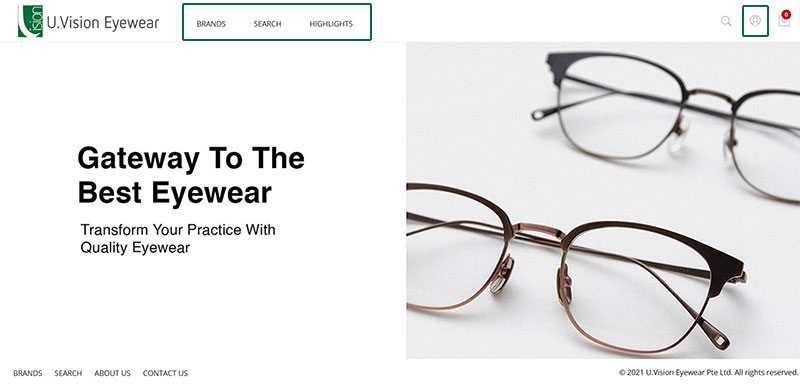
To login, click on any menu item or the user account icon on the top right. - Ways to login
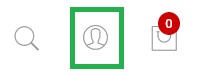
Option 1: Login as sales
Option 2: Login as customer (Click on account icon on top right of the page) - Login as Customer
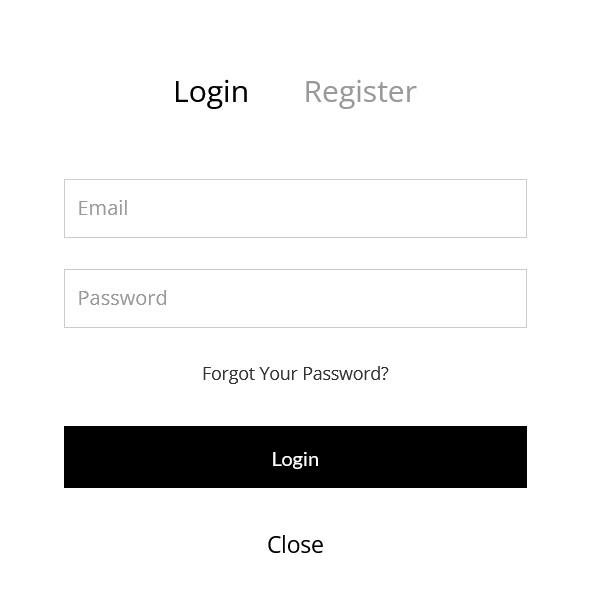
Option is already preselected in bold, just enter your email (UV store issued account) and password.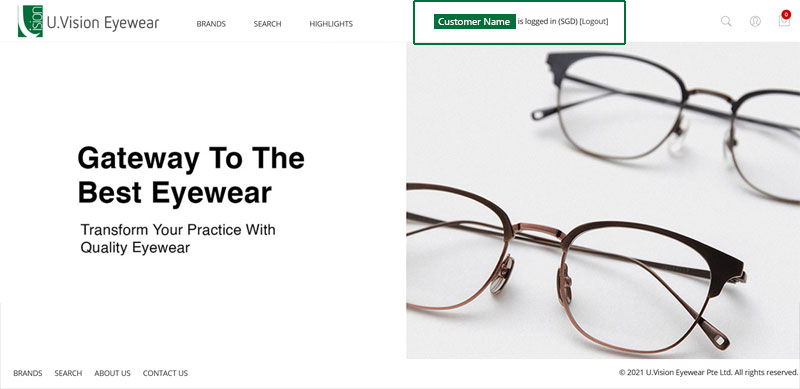
Upon successful login, your name will appear in the top menu bar with your store and logout link. - Customer information
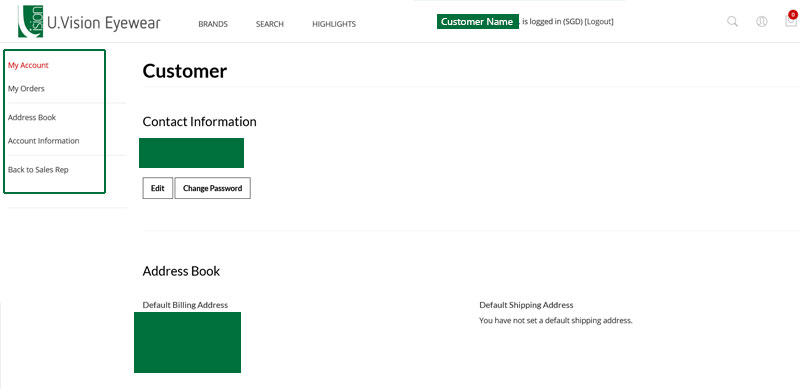
To manage your account, click on your name which is linked or the account icon on the top right.
You will be redirect to the customer information page. Here, you can:
- Change my contact email and password
- View my billing and shipping addresses
- View my orders and status
- View my invoices and download (coming soon)
- Other account information - Brands Page
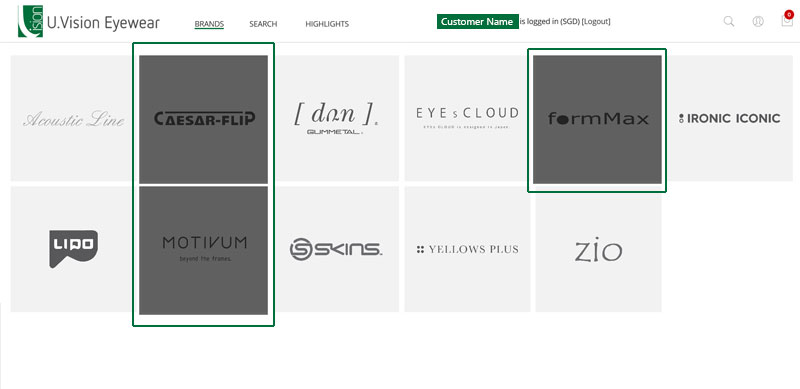
Click on the Brands menu from the top menu or footer.
A list of brands will be displayed in alphabetical order. Grey out items are brands that is not available for your account yet. For assistance to order, please contact any of our sales staff or send us an email.
Click on the icon to go to the products listing of the selected brand - Search
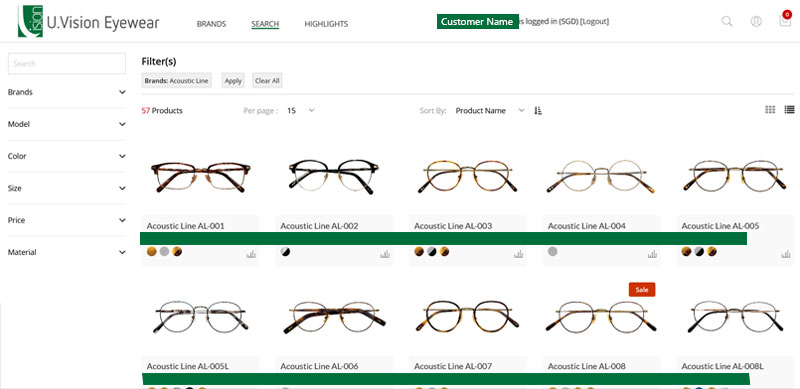
Alternatively, you can start with search OR use the filters provided to further narrow down your search for the product models.
(Please note that prices are masked in this help guide only)
Tips:
- After selection or keywords entered, click "Apply" button to trigger the search
- If you wish to start over, you can remove individual "filter" by clicking on them under "Filter(s)" or use "Clear All" to remove all filters at the same time.
Click on the icon to view model options. - View product model options
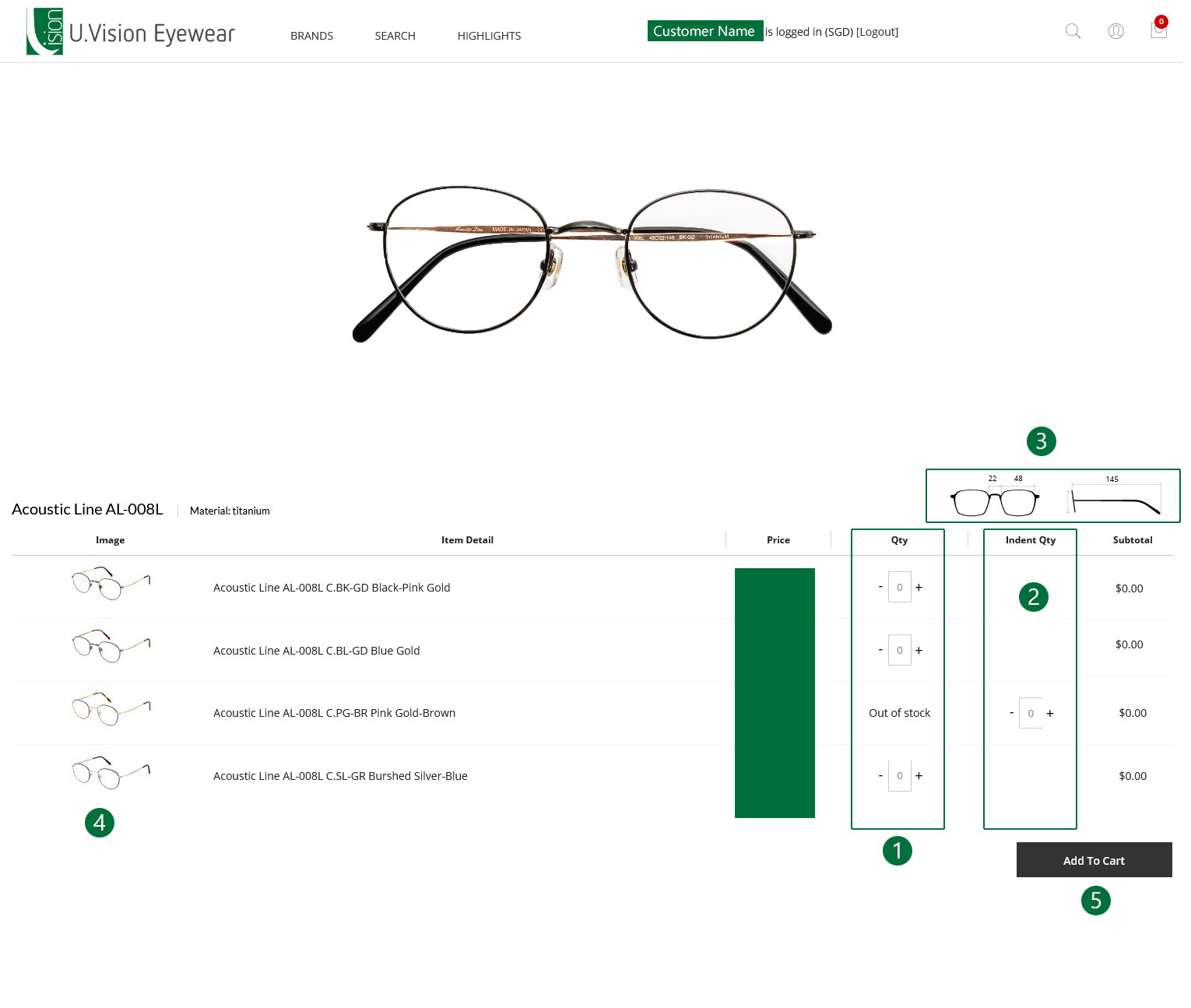
Models and the colour/variations options are listed in the table
(Please note that prices are masked in this help guide only)
Top display product description of the option and materials of the model
[1] Use plus and minue sign to select quantity for the selected model's options
[2] Indent Qty (backorder) is available for options which are "Out of stock"
[3] Size guide shows the various measurements for this model
[4] Click on the thumbnail to view a maximise version on the top gallery of the page, the description will also be updated
[5] After adding quantity, you can add to cart by clicking on the button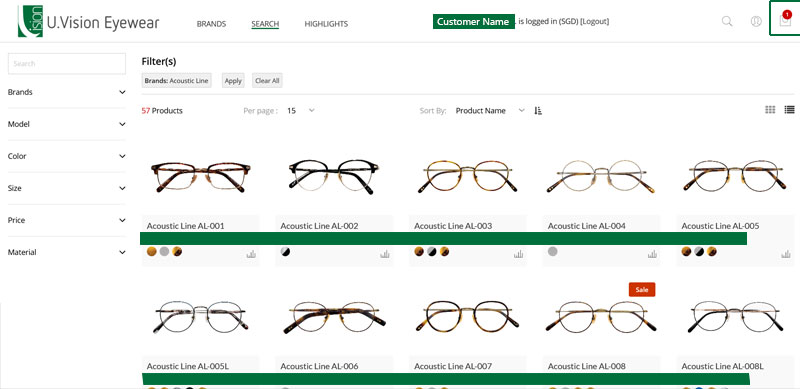
After successful addition to cart, you wil be redirected back to search and top right cart icon will reflect the quantity added.
Click on the icon to go to final summary and place order. - Final summary and place order
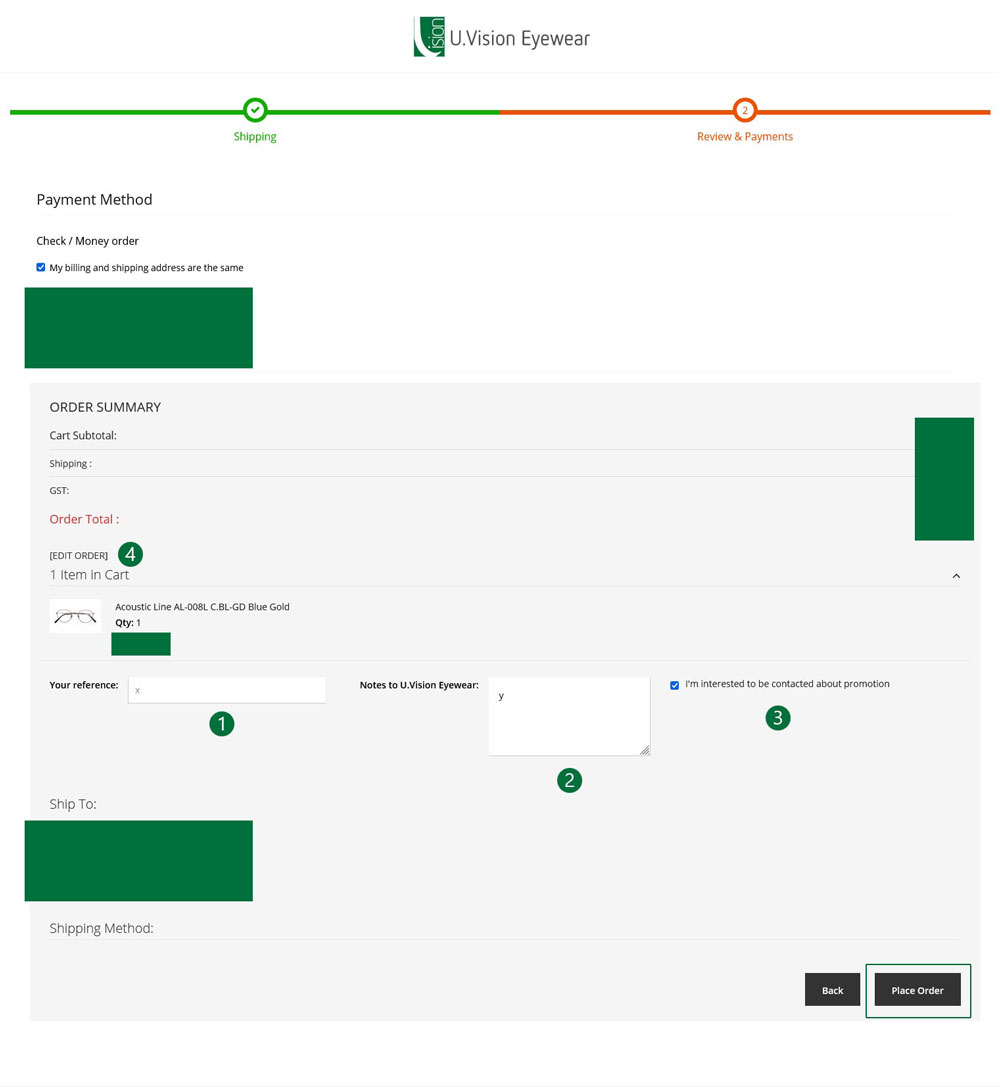
Review your order:
[1] Enter a reference number
[2] Enter a note for uvstore.
[3] Select if you wish to hear about promotions
[4] Edit order - brings you back to shopping cart to change the quantity or remove an item
Check our billing / shipping address and price summary.
When you are confirm to place order, click on the button "Place Order". - Done!
Once order is placed, you will see an order confirmation reference number and an email confirmation will be sent to your contact email (if you have provided one previously).
You can always login to view your order status under "My Orders" in customer information mentioned above.
Quick guide for mobile users
- Home Page & How to login

To login, click on any menu item or the user account icon on the top right. - Ways to login
Option 1: Login as sales
Option 2: Login as customer (click on this user account icon) - Login as Customer
Option is already preselected in bold, just enter your email (UV store issued account) and password. - Customer information
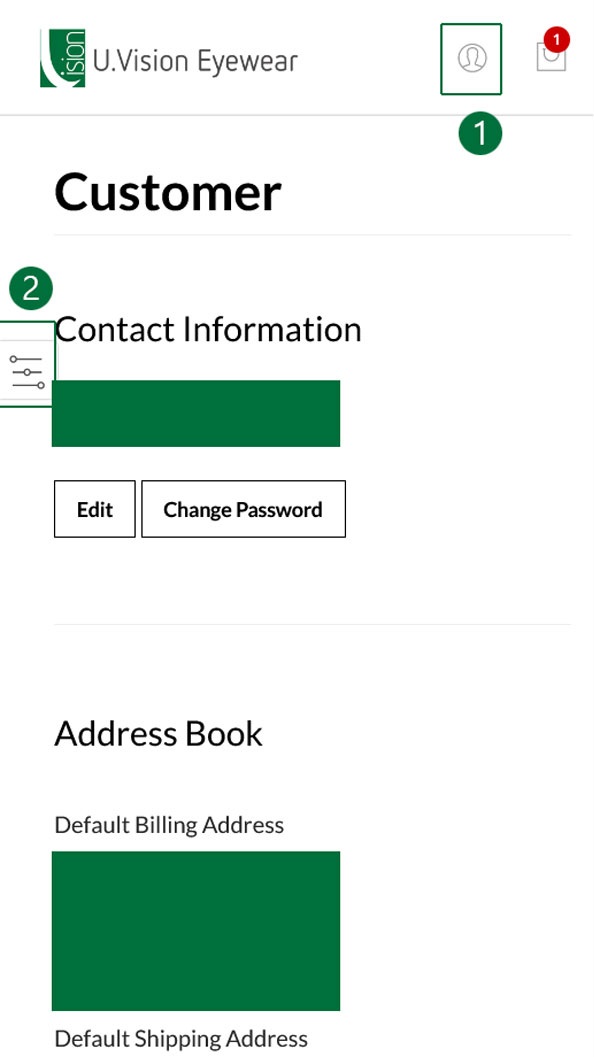
To manage your account, click on the account icon on the top right.
You will be redirect to the customer information page. Here, you can click on the floating menu icon on the left:
- Change my contact email and password
- View my billing and shipping addresses
- View my orders and status
- View my invoices and download (coming soon)
- Other account information - Brands Page
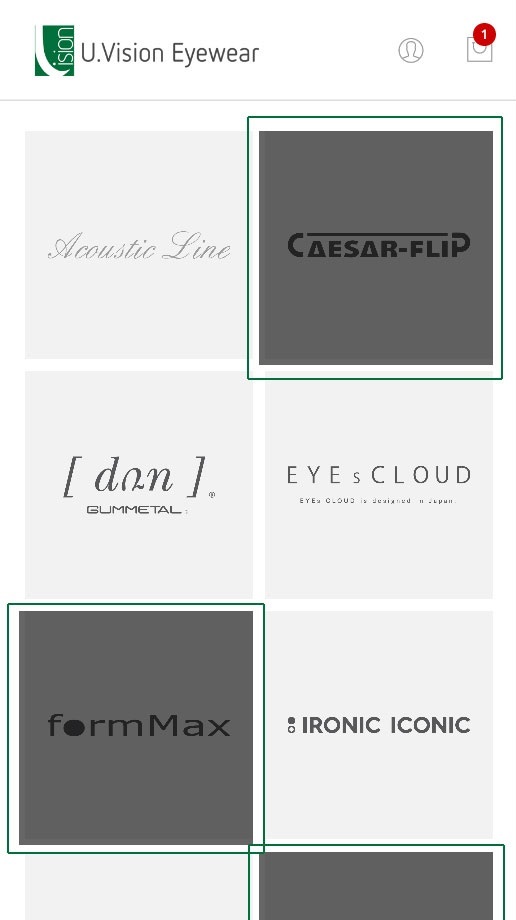
Click on the Brands menu from the top menu or footer.
A list of brands will be displayed in alphabetical order. Grey out items are brands that is not available for your account. For assistance to order, please contact any of our sales staff or send us an email.
Click on the icon to go to the products listing of the selected brand - Search
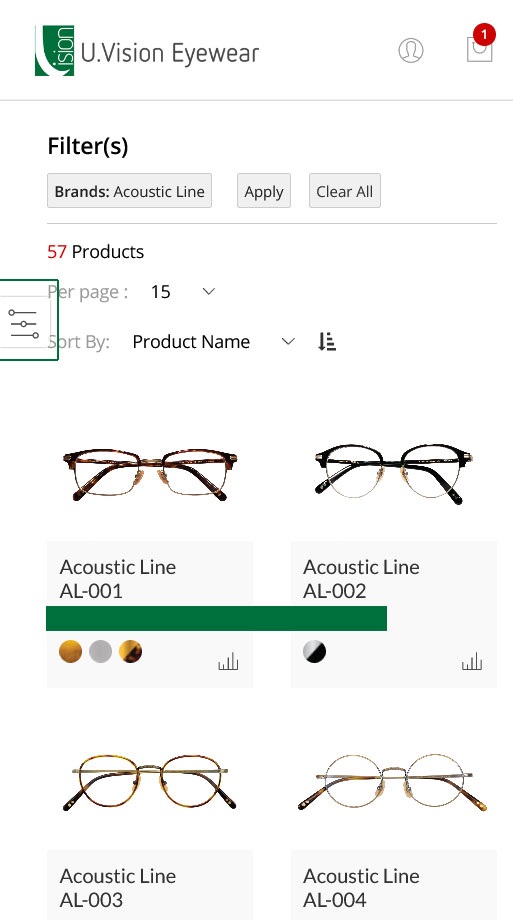
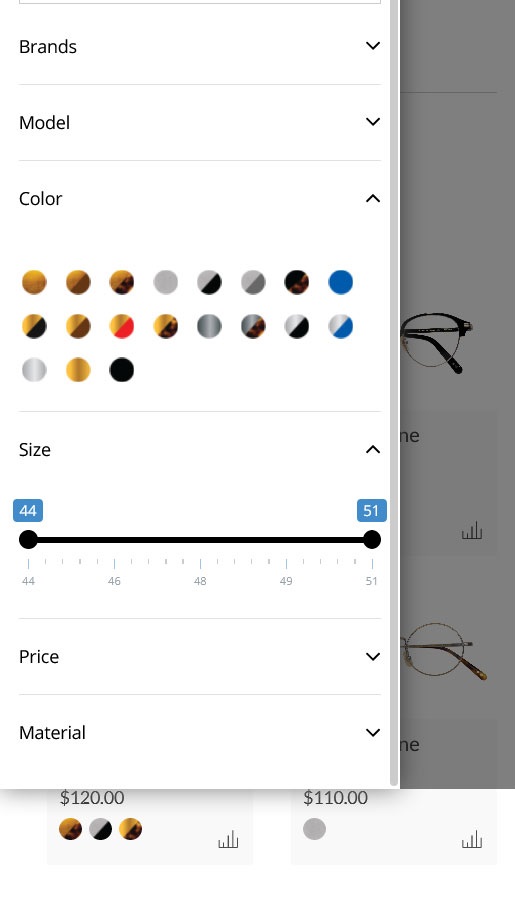
You can use the filters provided to further narrow down your search for the product models.
(Please note that prices are masked in this help guide only)
Tips:
- Click on the floating left menu to see the filters list
- After selection or keywords entered, click "Apply" button to trigger the search
- If you wish to start over, you can remove individual "filter" by clicking on them under "Filter(s)" or use "Clear All" to remove all filters at the same time.
Click on the icon to view model options. - View product model options
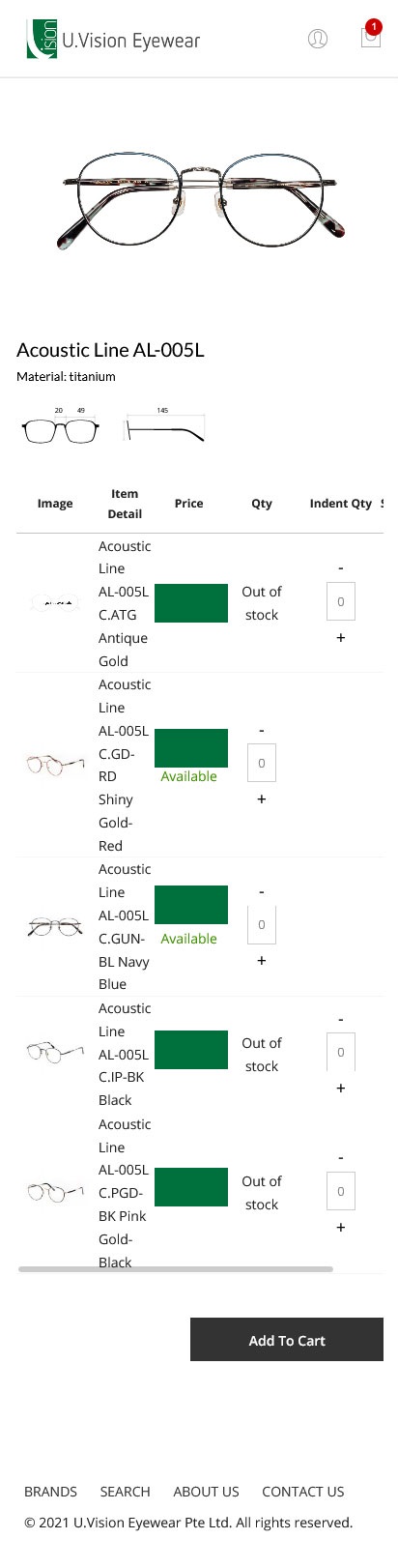
Models and the colour/variations options are listed in the table
(Please note that prices are masked in this help guide only)
Top dispay product description of the option and materials of the model
(same as desktop view but in mobile layout only)
[1] Use plus and minue sign to select quantity for the selected model's options
[2] Indent Qty (backorder) is available for options which are "Out of stock"
[3] Size guide shows the various measurements for this model
[4] Click on the thumbnail to view a maximise version on the top gallery of the page, the description will also be updated
[5] After adding quantity, you can add to cart by clicking on the button - Final summary and place order
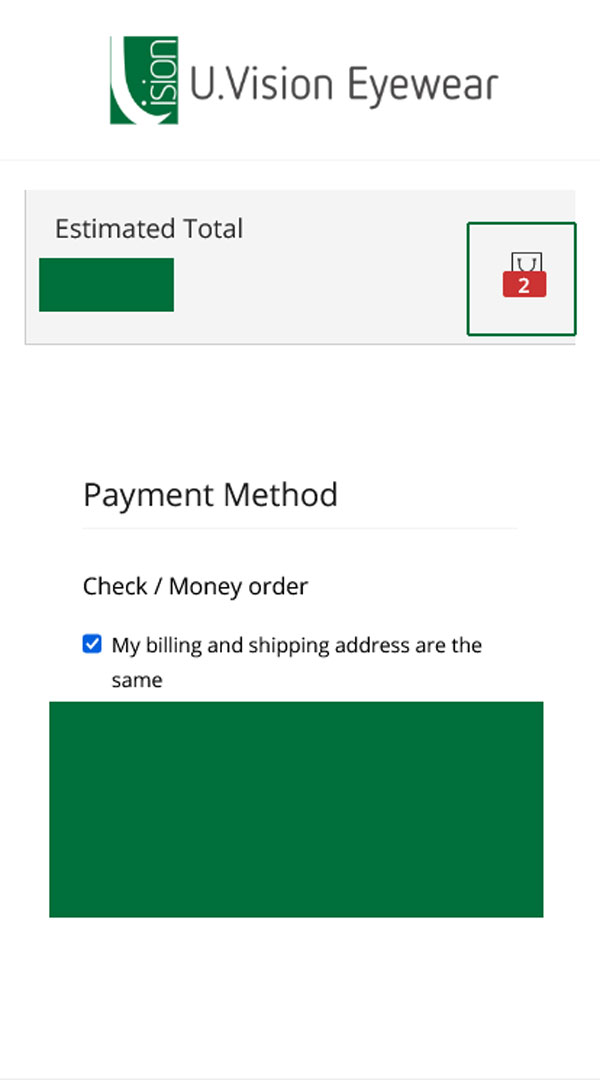
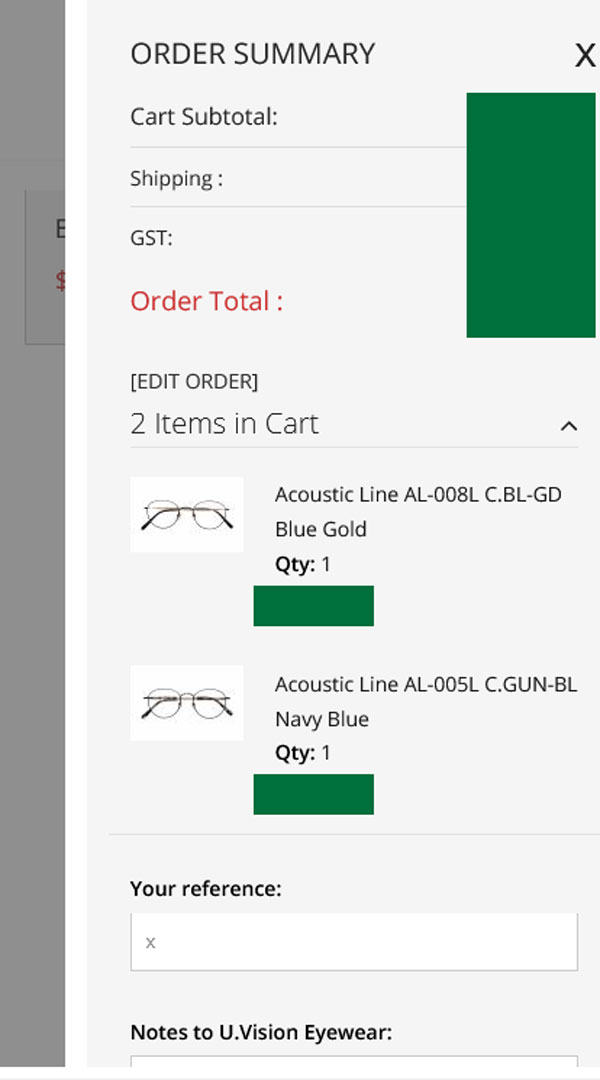
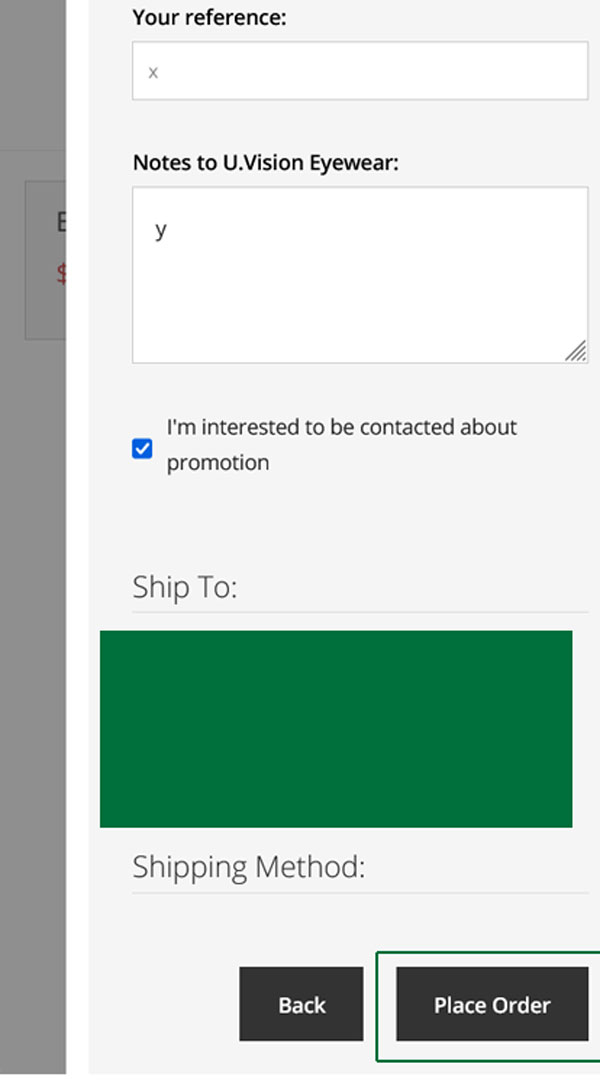
Review your order:
(same as desktop view but in mobile layout only)
[1] Enter a reference number
[2] Enter a note for UVstore
[3] Select if you wish to hear about promotions
[4] Edit order - brings you back to shopping cart to change the quantity or remove an item
Check our billing / shipping address and price summary.
When you are confirm to place order, click on the button "Place Order". - Done!
Once order is placed, you will see an order confirmation reference number and an email confirmation will be sent to your contact email (if you have provided one previously).
You can always login to view your order status under "My Orders" in customer information mentioned above.